


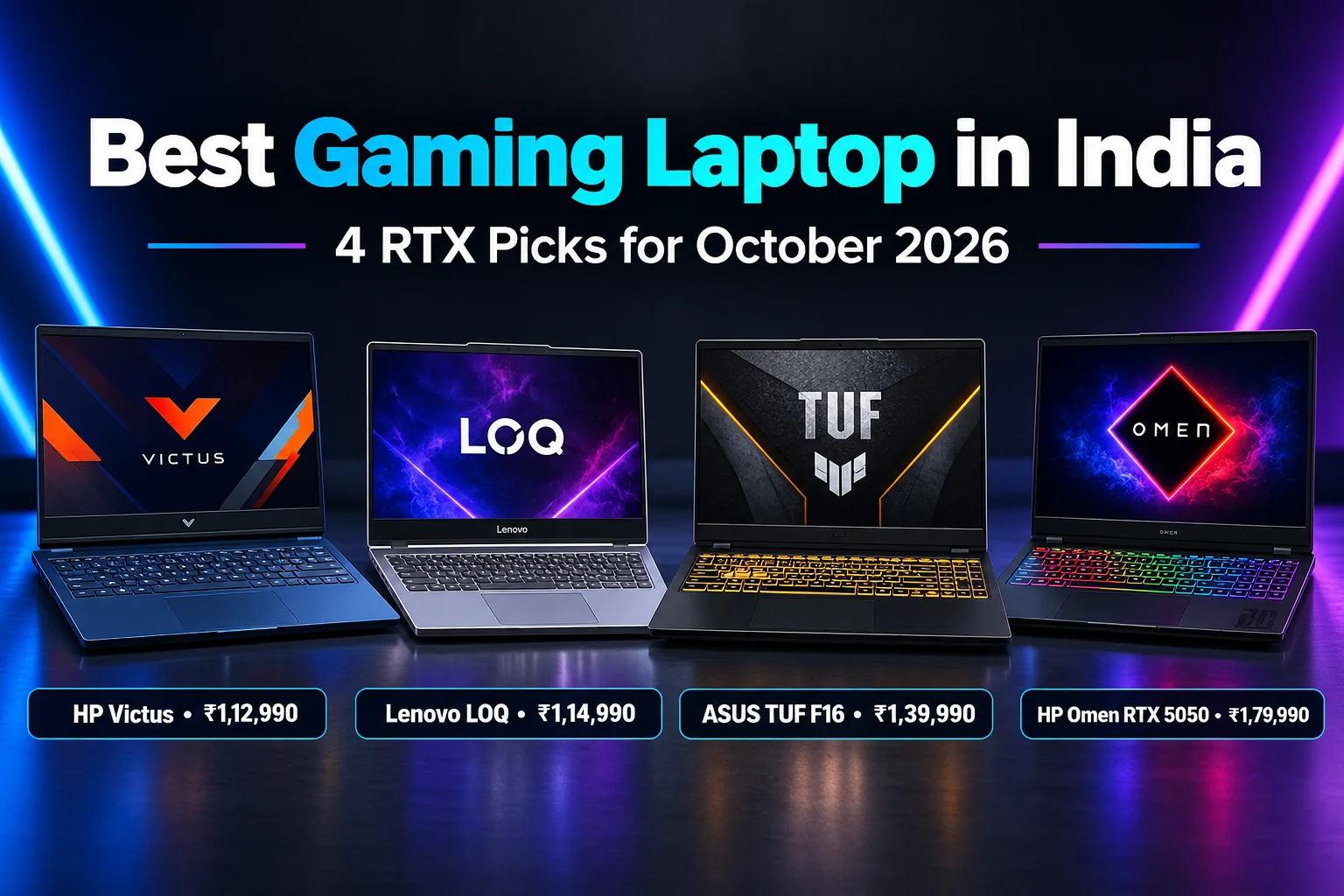
The best gaming laptop in India for most buyers is the HP Victus with Ryzen 7 7445HS and RTX 4050 at ₹1,12,990. It pairs a 6GB RTX 4050 with 16GB of DDR5 RAM and a 144Hz screen. Plus, 100+ people buy it every month. For a better display, the Lenovo LOQ Essential (₹1,14,990) has a 100% sRGB panel. If you want the strongest RTX 4050, the ASUS TUF Gaming F16 (₹1,34,100) runs it at up to 140W. Finally, the HP Omen with RTX 5050 (₹1,95,000) is our newer-generation pick. Note that every laptop here costs more than ₹1 lakh.
ChoicePilot is reader-supported. When you buy through links on this page, we may earn a small commission at no extra cost to you. Learn more.
⚡ Key Takeaways
- Best value: HP Victus Ryzen 7 RTX 4050 – ₹1,12,990, 4.2★ (160)
- Best display: Lenovo LOQ Essential RTX 4050 – ₹1,14,990, 100% sRGB
- Most powerful RTX 4050: ASUS TUF Gaming F16 – ₹1,34,100, 140W GPU
- Best RTX 5050: HP Omen i7-14650HX – ₹1,95,000, 8GB RTX 5050

Best Gaming Laptop: Quick Comparison
| Laptop | Price | CPU / GPU | Display | Rating |
|---|---|---|---|---|
| HP Victus | ₹1,12,990 | Ryzen 7 7445HS / RTX 4050 6GB | 15.6″ FHD 144Hz | 4.2★ (160) |
| Lenovo LOQ Essential | ₹1,14,990 | Ryzen 7 7735HS / RTX 4050 6GB | 15.6″ FHD 144Hz | New listing |
| ASUS TUF Gaming F16 | ₹1,34,100 | Core 5 210H / RTX 4050 140W | 16″ WUXGA 144Hz | 4.4★ (59) |
| HP Omen | ₹1,95,000 | Core i7-14650HX / RTX 5050 8GB | 16″ WUXGA 165Hz | 4.0★ (68) |
| HP Victus (Intel) | ₹1,05,400 | Core i5-13420H / RTX 4050 6GB | 15.6″ FHD IPS | 4.1★ (301) |
Prices as listed on Amazon.in on October 9, 2026 and may change.
RTX 4050 vs RTX 5050: What Is the Difference?
The RTX 4050 is still the most common GPU in gaming laptops around ₹1.1–1.4 lakh. It has 6GB of video memory and handles most games at 1080p on medium to high settings. The newer RTX 5050 brings 8GB of video memory, which helps in recent games that use a lot of VRAM. However, RTX 5050 laptops cost noticeably more right now, often ₹1.4 lakh and above.
Power limit matters as much as the GPU name. A 140W RTX 4050, like the one in the ASUS TUF F16, can run much faster than a 65W RTX 4050 in a thin laptop. So always check the “TGP” or graphics wattage on the spec sheet before you compare prices.
Other Specs That Matter for Gaming
First, pick at least 16GB of RAM, and make sure it can be upgraded. A 144Hz or faster screen makes games look smoother, while 100% sRGB coverage helps if you also edit photos or videos. Also look at the cooling design, because a hot laptop slows itself down during long sessions. Finally, a 512GB SSD fills quickly with modern games, so plan for an upgrade or an external drive.
What We Found (Must Read): How We Picked These Laptops
We checked Amazon.in listings for RTX 4050 and RTX 5050 laptops on October 9, 2026. First, we kept models from brands with strong service networks in India: HP, Lenovo and ASUS. Then we compared GPU power, CPU, RAM, screen, cooling, ratings and monthly sales. Ratings for new 2026 models are still low in number, so we also weighed the brand’s track record.
This guide is based on specifications, pricing and verified buyer reviews, not a hands-on test. Read how we review products.
1. HP Victus (Ryzen 7, RTX 4050) – Best Gaming Laptop for Value

- Processor, Memory & Storage: AMD Ryzen 7 7445HS (up to 4.7 GHz max boost clock 16 MB L3 cache, 6 cores, 12 threads| Memo…
- Operating System & Preinstalled Software: Windows 11 Home | MS Office Home 2024 Lifetime |1 year Microsoft 365 Basic Fre…
- Display & Graphics: 39.6 cm (15.6″) diagonal, FHD (1920 x 1080), 144 Hz, IPS, micro-edge, anti-glare, 300 nits, 62.5% sR…
This HP Victus is the cheapest RTX 4050 laptop in our list with a modern spec sheet. For example, it uses an AMD Ryzen 7 7445HS (6 cores, 12 threads), 16GB of DDR5-5600 RAM that you can upgrade and a 512GB SSD. The 15.6-inch Full HD IPS screen runs at 144Hz. HP also includes MS Office Home 2024.
With 160 ratings at 4.2★ and 100+ sales each month, it is a popular, proven choice. That said, the screen covers only 62.5% sRGB, so colours look dull for editing. The single 16GB RAM stick also means you should add a second stick later for the best performance.
| Price | ₹1,12,990 |
| CPU | AMD Ryzen 7 7445HS |
| GPU | NVIDIA RTX 4050 6GB |
| RAM / storage | 16GB DDR5 (upgradeable) / 512GB SSD |
| Display | 15.6″ FHD IPS, 144Hz, 62.5% sRGB |
| Rating | 4.2★ (160 ratings) |
✅ What we like
- Lowest RTX 4050 price here
- Upgradeable DDR5 RAM
- Office 2024 included
⚠️ Watch out for
- Dull 62.5% sRGB screen
- 512GB fills quickly
2. Lenovo LOQ Essential (RTX 4050) – Best Display Under ₹1.2 Lakh
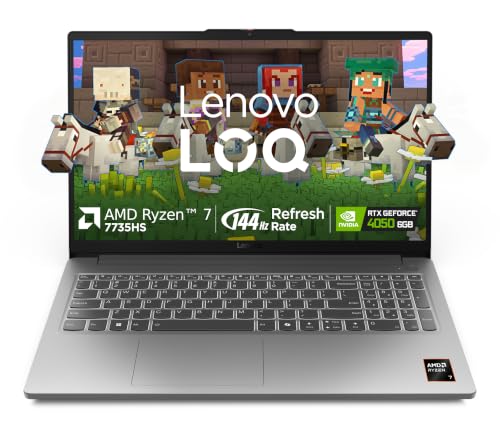
- Processor: AMD Ryzen 7 7735HS (8C / 16T, 3.2 / 4.75GHz, 4MB L2 / 16MB L3)
- Display: 15.6″ FHD (1920×1080) IPS Technology | 144 Hz Refresh Rate | 100pct. sRGB |Brightness: 300Nits Anti-glare || Co…
- Memory: 1x16GB SO-DIMM DDR5-4800, Max Memory :-Up to 16GB DDR5-4800 | Storage: 512GB SSD M.2 2242 PCIe 4.0×4 NVMe, Max s…
The LOQ Essential costs only ₹2,000 more than the Victus but gives you a better screen. Its 15.6-inch Full HD IPS panel runs at 144Hz and covers 100% of sRGB, so colours are accurate. Inside, there is a Ryzen 7 7735HS with 8 cores and 16 threads, 16GB of DDR5 RAM (up to 32GB) and Wi-Fi 6.
Lenovo’s Hyperchamber cooling uses dual fans that push heat out of the back. However, the RTX 4050 here runs at a 65W TGP, so it is slower than the ASUS TUF in heavy games. It was recently re-listed on Amazon, so it shows very few ratings right now, although the LOQ series is popular.
| Price | ₹1,14,990 |
| CPU | AMD Ryzen 7 7735HS (8C/16T) |
| GPU | RTX 4050 6GB, 65W TGP |
| RAM / storage | 16GB DDR5 (up to 32GB) / 512GB SSD |
| Display | 15.6″ FHD IPS, 144Hz, 100% sRGB |
| Rating | New listing (same model, re-listed on Amazon) |
✅ What we like
- Accurate 100% sRGB screen
- 8-core CPU
- Good cooling design
⚠️ Watch out for
- Low 65W GPU power
- Few ratings so far
3. ASUS TUF Gaming F16 – Most Powerful RTX 4050 Gaming Laptop
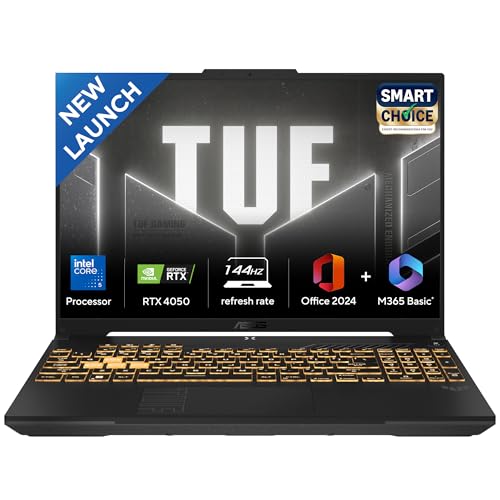
- Processor : Intel Core 5 Processor 210H 2.2 GHz (12MB Cache, up to 4.8 GHz, 8 cores, 12 Threads)
- Display : 16-inch, FHD+ 16:10 (1920 x 1200, WUXGA), 144Hz Refresh Rate, 300nits Brightness, Anti-glare display | Keyboar…
- Graphics : NVIDIA GeForce RTX 4050 Laptop GPU (194 AI TOPs), 6GB GDDR6 Graphic Memory | Graphic Wattage : 2420MHz* at 14…
The TUF Gaming F16 runs its RTX 4050 at up to 140W (115W plus 25W Dynamic Boost). That is the highest power level in this guide, so it gets more out of the same GPU. It also uses an Intel Core 5 210H with 8 cores and 12 threads, 16GB of DDR5 RAM and a fast PCIe 4.0 SSD.
The 16-inch 16:10 screen (1920×1200) is taller than a normal laptop display and runs at 144Hz. In addition, you get an RGB keyboard and Office Home 2024. Still, it costs about ₹25,000 more than the Victus, and the 300-nit screen is not very bright.
| Price | ₹1,34,100 |
| CPU | Intel Core 5 210H (8C/12T) |
| GPU | RTX 4050 6GB, up to 140W |
| RAM / storage | 16GB DDR5 / 512GB PCIe 4.0 SSD |
| Display | 16″ WUXGA 16:10, 144Hz |
| Rating | 4.4★ (59 ratings) |
✅ What we like
- High 140W GPU power
- Larger 16-inch 16:10 screen
- Tough TUF build
⚠️ Watch out for
- Pricier than rivals
- Only 300 nits
4. HP Omen (i7-14650HX, RTX 5050) – Best RTX 5050 Gaming Laptop
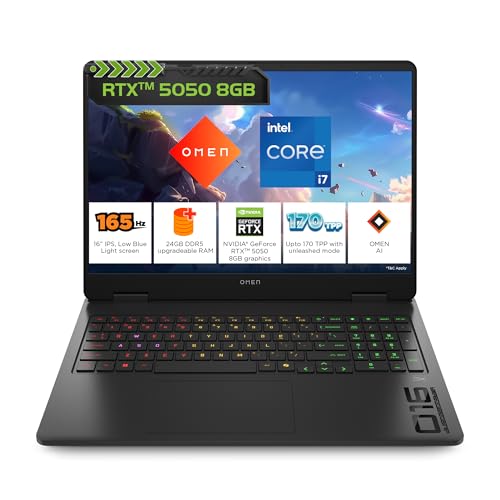
- Processor, Memory & Storage: Intel Core i7-14650HX (up to 5.2 GHz with Intel Turbo Boost Technology, 30 MB L3 cache, 16 …
- Operating System & Preinstalled Software: Windows 11 Home | MS Office Home 2024 + MISC PC Game Pass DA 3M| 1 year Micros…
- Display & Graphics: 40.6 cm (16″) diagonal, 2K (1920 x 1200), 60-165 Hz, 3 ms response time, IPS, micro-edge, anti-glare…
If you want a newer GPU and a powerful CPU, this HP Omen is our pick. It has an Intel Core i7-14650HX with 16 cores and 24 threads, an 8GB RTX 5050, 24GB of DDR5-5600 RAM and a 1TB SSD. The 16-inch 1920×1200 IPS screen runs at up to 165Hz, covers 100% sRGB and reaches 400 nits.
You also get HDMI 2.1, a USB-C port with DisplayPort and charging, Wi-Fi 6 and a 1080p webcam. Overall, it holds 4.0★ from 68 ratings and sells 100+ units a month. However, at ₹1,95,000 it is far above the other picks. So it only makes sense if you also stream, edit video or want the extra VRAM.
| Price | ₹1,95,000 |
| CPU | Intel Core i7-14650HX (16C/24T) |
| GPU | NVIDIA RTX 5050 8GB |
| RAM / storage | 24GB DDR5 / 1TB SSD |
| Display | 16″ 1920×1200 IPS, 165Hz, 400 nits |
| Rating | 4.0★ (68 ratings) |
✅ What we like
- Powerful HX processor
- 8GB GPU and 1TB SSD
- Bright 100% sRGB screen
⚠️ Watch out for
- Very expensive
- Heavier and louder under load
Tips Before You Buy a Gaming Laptop
- Check the GPU wattage (TGP). A high-power RTX 4050 can beat a low-power one by a wide margin.
- Plan a RAM upgrade. Many laptops ship with one 16GB stick, and adding a second one boosts performance.
- Keep it plugged in while gaming. Gaming laptops lose a lot of speed on battery.
- Use a cooling pad. It helps in hot Indian rooms and keeps fan noise lower.
- Buy a proper mouse. A touchpad is not made for gaming, so pick a wired gaming mouse.
💡 Also worth a look: if your budget is lower, see our best laptops under ₹50,000 for study and work.
Which Is the Best Gaming Laptop for You?
- Best value RTX 4050: HP Victus Ryzen 7 at ₹1,12,990.
- Gaming plus photo editing: Lenovo LOQ Essential with 100% sRGB.
- Maximum RTX 4050 performance: ASUS TUF Gaming F16 (140W).
- New-generation GPU and HX CPU: HP Omen with RTX 5050.
- Most-reviewed option: HP Victus Intel i5-13420H (₹1,12,490, 301 ratings).
Related Guides
Best Gaming Laptop: FAQs
Which is the best gaming laptop in India right now?
The HP Victus with Ryzen 7 7445HS and RTX 4050 at ₹1,12,990 is the best value pick. It has 16GB DDR5 RAM, a 144Hz screen and steady monthly sales.
Can I get an RTX 4050 gaming laptop under ₹1 lakh?
Not on Amazon.in at the moment. The cheapest RTX 4050 models we found start at about ₹1,12,490, while laptops under ₹1 lakh mostly use the slower RTX 3050.
Is RTX 5050 better than RTX 4050?
Yes, mainly because it has 8GB of video memory instead of 6GB. However, RTX 5050 laptops currently cost much more, so an RTX 4050 is better value for most buyers.
How much RAM does a gaming laptop need?
16GB is the minimum for modern games. If the laptop has one RAM stick, adding a second one for dual-channel memory gives a noticeable boost.
Last updated: October 18, 2026. Prices and ratings are from Amazon.in on this date and may change.
