


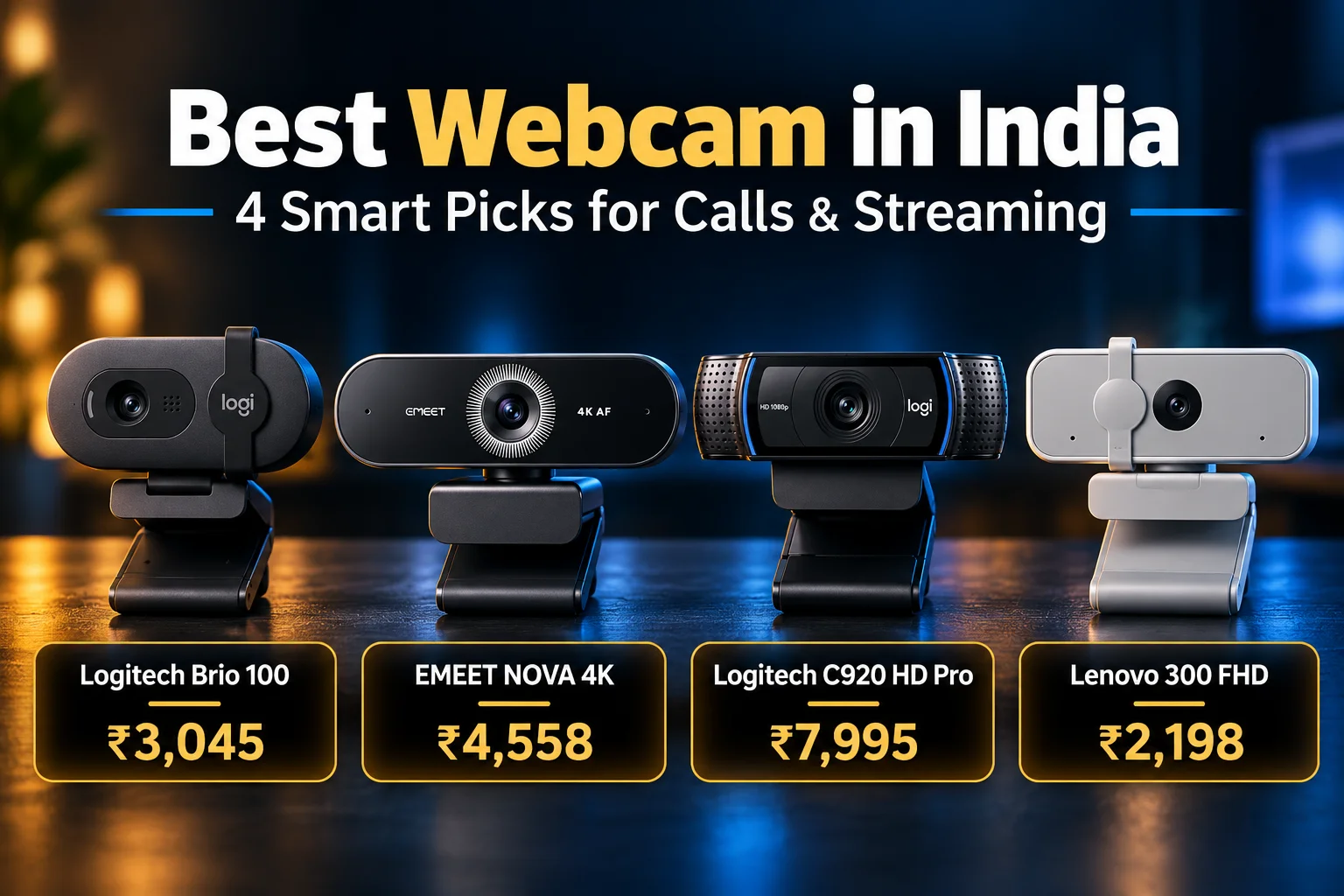
The best webcam for most people in India is the Logitech Brio 100 at ₹2,754. It gives sharp 1080p video, RightLight brightness correction and a built-in privacy cover, and 1,600+ buyers rate it 4.3★. If you want 4K, the EMEET NOVA 4K (₹4,558) is the best value. Streamers who want proven autofocus should pick the Logitech C920, while the Lenovo 300 FHD (₹1,999) is the safest budget choice.
ChoicePilot is reader-supported. When you buy through links on this page, we may earn a small commission at no extra cost to you. Learn more.
⚡ Key Takeaways
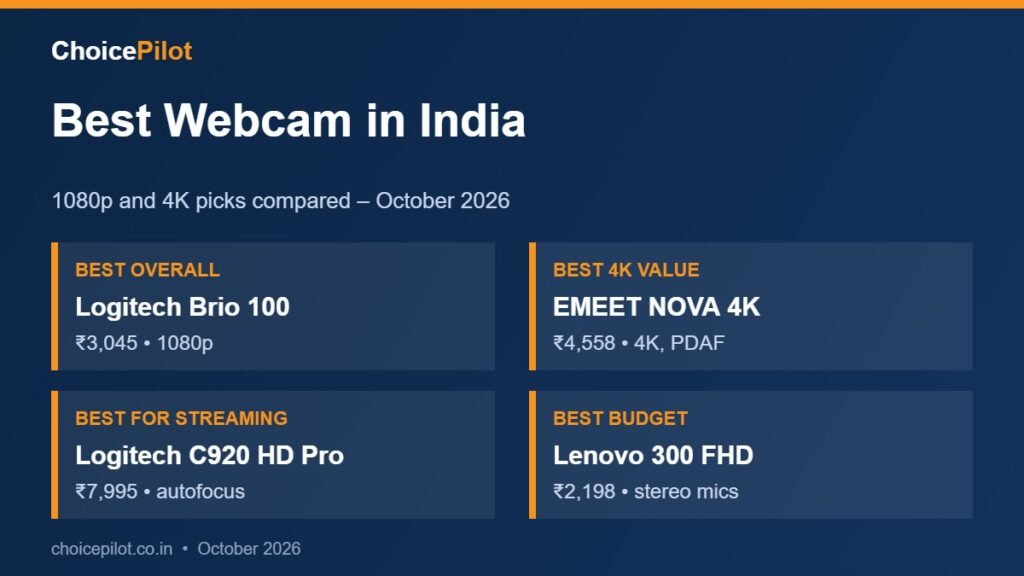
- Best overall: Logitech Brio 100 – ₹3,045, 1080p, 4.3★ (1,600+ ratings)
- Best 4K value: EMEET NOVA 4K – ₹4,558, PDAF autofocus, 4.4★
- Best for streaming: Logitech C920 HD Pro – ₹7,995, 4.4★ (31,900+ ratings)
- Best budget: Lenovo 300 FHD – ₹2,198, stereo mics, 4.1★
Best Webcam: Quick Comparison
| Webcam | Price | Resolution | Focus | Rating |
|---|---|---|---|---|
| Logitech Brio 100 | ₹2,754 | 1080p | Fixed | 4.3★ (1.6K) |
| EMEET NOVA 4K | ₹4,558 | 4K/30fps | PDAF auto | 4.4★ (2.3K) |
| Logitech C920 HD Pro | ₹7,995 | 1080p | Auto | 4.4★ (31.9K) |
| Lenovo 300 FHD | ₹1,999 | 1080p | Fixed | 4.1★ (14.4K) |
| Kreo Owl FHD | ₹3,134 | 1080p/60fps | Auto | 4.3★ (921) |
| Logitech MX Brio | ₹17,995 | 4K | Auto | 4.2★ (18.1K) |
Prices as listed on Amazon.in on October 9, 2026 and may change.
1080p or 4K: Which Do You Need?
Most video apps, including Zoom, Google Meet and Teams, send 720p or 1080p video. So a 4K model will not make you look four times sharper on a normal call. That said, 4K helps in two cases. First, it lets you crop or zoom in without losing detail. Second, a better sensor usually handles dim rooms better, even at 1080p output.
For office calls and online classes, a good 1080p camera is enough. However, if you record YouTube videos, stream games or want the sharpest image for client calls, a 4K model is worth the extra money.
What Else Matters: Light, Focus and Mics
- Low-light handling: Most Indian home offices rely on a tube light. Look for auto light correction, such as Logitech RightLight.
- Autofocus: It keeps you sharp when you lean in to show a document. Fixed focus is fine if you sit still.
- Microphones: Built-in mics are okay for calls. Still, a headset or USB mic sounds much better.
- Privacy cover: A sliding shutter blocks the lens when you are not on a call.
- Field of view: 70–80° suits one person, while wider views help when two people share a desk.
Setting Up Your New Camera
Setup takes about two minutes. First, clip the camera on top of your monitor or laptop lid, then plug it into a USB port. Windows and macOS detect it automatically. Next, open your video app and choose the new camera and mic in settings, since apps often keep using the laptop camera by default.
Also, install the maker’s free app if there is one. Logi Tune (for Logitech) and EMEETLINK let you adjust brightness, zoom and focus. That said, every pick here works without any software for basic calls.
What We Found (Must Read): How We Picked Our Picks
We started with the Amazon.in results for 1080p and 4K models on October 9, 2026. Then we kept models from brands with reliable India support, and we skipped very cheap 0.3 MP and 720p cameras. Finally, we compared resolution, focus, light correction, mics and buyer ratings.
This guide is based on specifications, pricing and verified buyer reviews, not a hands-on test. Read how we review products.
1. Logitech Brio 100 – Best Webcam Overall

- Full Clarity: Look clearer in video calls with Full HD 1080p resolution
- Auto-Light Balance: RightLight boosts brightness by up to 50%, reducing shadows so you look your best—compared to previo…
- Privacy with a Slide: The integrated webcam cover makes it easy to get total, reliable privacy when you’re not on a vide…
The Brio 100 gives clean Full HD 1080p video at a fair price. Its RightLight feature boosts brightness by up to 50% compared with older Logitech models, so you look better under dim room lights. It also has a built-in privacy cover and a mic.
It is plug-and-play with Zoom, Teams and Google Meet, so there is nothing to install. Over 1,600 buyers rate it 4.3★, and it sells 1,000+ units a month. On the other hand, focus is fixed, so it is not ideal for showing small objects up close.
| Price | ₹2,754 |
| Resolution | 1080p Full HD |
| Light | RightLight auto brightness |
| Privacy | Built-in slide cover |
| Mic | Built-in |
| Rating | 4.3★ (1,600+ ratings) |
✅ What we like
- Trusted brand at a low price
- Good brightness correction
- Privacy cover included
⚠️ Watch out for
- Fixed focus
- Basic single mic
2. EMEET NOVA 4K – Best 4K Webcam for the Money

- Unrivaled 4K Performance – Experience unparalleled clarity with our EMEET NOVA 4K webcam, featuring a 30FPS rate and a C…
- Precise Autofocus, Clear Display – This 4K webcam features PDAF tech for fast and accurate autofocus within a fixed rang…
- Superior Audio Clarity, Unmatched Compatibility – Featuring 2 built-in microphones that capture voices clearly, the NOVA…
The NOVA 4K records at 4K/30fps and uses PDAF autofocus, which is the same fast focus type used in phones. It works from about 20 cm to 3 m, and the field of view is a fixed 73°. In addition, it adjusts light automatically.
Note that it outputs 1080p by default, so you must switch to 4K in EMEET’s software or in apps like OBS. With 2,300+ ratings at 4.4★, it is the best-rated 4K option under ₹5,000 in our research.
| Price | ₹4,558 |
| Resolution | 4K/30fps (1080p default) |
| Focus | PDAF autofocus |
| Field of view | 73° |
| Software | EMEETLINK |
| Rating | 4.4★ (2,300+ ratings) |
✅ What we like
- True 4K at a budget price
- Fast, accurate autofocus
- Excellent rating
⚠️ Watch out for
- 4K must be turned on manually
- No manual focus
3. Logitech C920 HD Pro – Best Webcam for Streaming
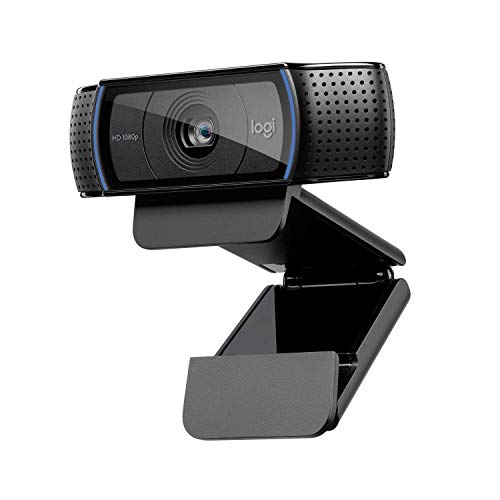
- Make a strong impression in your video conference calls with Logitech C920, featuring a diagonal, fixed 78-degree field …
- Two microphones capture more realistic sound from a broader range of angles so your voice comes through sounding natural…
- Unleash your creativity with Logitech’s Capture app, allowing you to easily create, record, and customize settings with …
The C920 is one of the most popular PC cameras ever made, with 31,900+ ratings at 4.4★ on Amazon.in alone. It records 1080p video with autofocus and has two mics for stereo sound. Because so many streamers use it, it also works smoothly with OBS and Streamlabs.
It is older than the Brio 100 and costs more at ₹7,995. Still, its glass lens, autofocus and proven reliability make it a safe choice for daily streaming and long work days.
| Price | ₹7,995 |
| Resolution | 1080p Full HD |
| Focus | Autofocus |
| Mics | Dual stereo mics |
| Mount | Clip and tripod thread |
| Rating | 4.4★ (31,900+ ratings) |
✅ What we like
- Huge number of happy buyers
- Autofocus and stereo mics
- Works with every streaming app
⚠️ Watch out for
- Pricey for 1080p
- No privacy shutter
4. Lenovo 300 FHD – Best Budget Webcam

- Full HD Video Calls with Stereo Audio: The Lenovo 300 FHD Webcam is powered by a Full HD 1080P 2.1 Megapixel CMOS camera…
- High resolution FHD 1080P Webcam with dual mics: The innovative FHD 1080P camera delivers perfect high-resolution video …
- Easy Plug-and-Play Setup: Simply unpack and unfold the camera when you want to do a call, and plug the USB 2.0 cable int…
The Lenovo 300 uses a 2.1 MP Full HD sensor with full stereo dual mics. As a result, it sounds clearer than most budget models in group calls. It also has a wide view, which helps when two people share a screen.
At ₹2,198, it has 14,400+ ratings at 4.1★ and sells 1,000+ units a month. However, it struggles a little more in dim light than the Brio 100. For students and work-from-home users on a budget, it is a reliable pick.
| Price | ₹1,999 |
| Resolution | 1080p, 2.1 MP |
| Mics | Stereo dual mics |
| Focus | Fixed |
| Use | Calls and online classes |
| Rating | 4.1★ (14,400+ ratings) |
✅ What we like
- Low price from a big brand
- Stereo mics
- Very popular and proven
⚠️ Watch out for
- Weaker in low light
- Fixed focus
Tips for Looking Better on Video Calls
- Place the camera at eye level. A laptop stand or books under the laptop help a lot.
- Face a window or lamp. Light from behind you makes your face dark.
- Use a headset for audio. Built-in mics catch fan and traffic noise.
- Check USB ports. Some models need a USB-A port, so newer laptops may need an adapter.
- Close other apps. 4K video uses more CPU, so slow laptops may lag.
💡 Also worth a look: if your laptop is too slow for video calls, see our laptop picks under ₹50,000.
Which Is the Best Webcam for You?
- Office calls and classes: Logitech Brio 100.
- 4K on a budget: EMEET NOVA 4K.
- Streaming and creators: Logitech C920 HD Pro, or the Logitech MX Brio for premium 4K.
- Lowest cost: Lenovo 300 FHD.
Related Guides
Best Webcam: FAQs
Which is the best webcam in India?
The Logitech Brio 100 (₹2,754) is the best choice for most people, because it balances price and quality. It gives clear 1080p video, auto light correction and a privacy cover. For 4K, the EMEET NOVA 4K at ₹4,558 is the best value.
Is 4K worth it for Zoom calls?
Not usually. Zoom and Meet send 720p or 1080p video, so the extra detail is lost. A 4K camera helps more for recording, streaming and cropping.
Do I need one if my laptop has a camera?
Most laptop webcams are 720p and weak in low light. An external 1080p camera looks much sharper and can sit at eye level on your monitor.
Can I use it with a TV or phone?
Some smart TVs and Android phones support USB cameras, but support varies. They work best with Windows PCs, Macs and Chromebooks.
Last updated: October 18, 2026. Prices and ratings are from Amazon.in on this date and may change.
